



Selling on Amazon can feel like a whirlwind of confusion, uncertainty, and those “wait, seriously?” moments. From fine-tuning your first product listing to navigating the complexities of PPC advertising, or wondering why you lost the Buy Box even though you had the lowest price, things can get frustrating fast. And that’s before we even mention restock limits or chasing down customer reviews.
Here’s the truth: whether you’re just starting or have years of experience, every seller runs into the same head-scratching issues. That’s why we’ve put together this FAQ to tackle the most common, stress-inducing challenges sellers face every day. No fluff, no jargon, just clear, straightforward answers on everything from listings to brand protection. Let’s dive in.
Q1: Where Can I Get a UPC?
To sell on Amazon, you’ll need a UPC (Universal Product Code), and the most trusted source for obtaining one is GS1, the global authority on barcodes and product identification standards.

Here’s how to go about it:
1. Get Your UPC from GS1
Start by visiting the GS1 website specific to your region (like GS1 US or GS1 UK).
GS1 provides a unique Company Prefix, which links directly to your business as the brand or product owner.
UPCs purchased through GS1 are recognized and accepted by major retailers such as Amazon, Walmart, and other global e-commerce platforms.
2. Other UPC Options
Although GS1 is the most reliable source, you might come across cheaper alternatives:
3. Pricing and Processing Time
GS1 uses a subscription-based pricing model. Fees depend on how many UPCs you need. For example, you might pay around $250 for 10 UPCs or about $750 for 1,000 UPCs, along with an annual renewal fee.
After submitting your application, you can typically expect to receive your UPCs within 24 to 48 hours.
Q2: Can You Change the SKU After Listing a Product?
Once a product is listed on Amazon, the SKU (Stock Keeping Unit) cannot be changed. It becomes permanently linked to that listing, and Amazon does not allow direct editing of SKUs after creation.
That said, there are some workarounds if you need to make a change:
1. Create a New Product Listing
The most straightforward method is to create a brand-new listing using your desired SKU, then close or delete the original one.
Keep in mind that reviews, sales history, and product ranking won’t carry over to the new listing, which could impact your product’s visibility and performance.
2. Use FNSKU for FBA Products
If your issue is related to Fulfillment by Amazon (FBA), you can label your inventory with an FNSKU—Amazon’s own barcode used in fulfillment centers.
This doesn’t replace or modify the original SKU, but it helps ensure accurate tracking and handling of your products within Amazon’s system.
3. Connect SKUs with Inventory Software
Some sellers rely on third-party inventory management tools to bridge old and new SKUs. These platforms can help you sync inventory and streamline order fulfillment without altering your SKUs on Amazon.
While you can’t directly edit an existing SKU, these options provide flexibility to adapt and manage your catalog efficiently.
Q3: What Do I Need to Upload a Product Listing on Amazon?
To successfully create a product listing on Amazon, you’ll need to gather a few essential details and assets beforehand. Here’s what you’ll need:
Having all of this ready will make the listing process much smoother. For added efficiency and compliance, you may want to consider partnering with an Amazon seller consulting agency to guide you through the setup.
Q4: Is It Allowed to Sell the Same Product Under Different ASINs?
No, Amazon does not permit selling the exact same product under multiple ASINs. Each distinct product is assigned a single ASIN in Amazon’s catalog. Attempting to list the same item more than once with different ASINs violates Amazon’s policies and may result in your listings being removed or your account facing suspension.
However, if your product comes in different variations, such as sizes, colors, or styles, you can group them under one parent ASIN using a variation (parent-child) listing format. This keeps everything organized and compliant while offering options to customers.
Q5: Is It Possible to Transfer an ASIN from One SKU to Another?
You can’t directly move an ASIN from one SKU to another in Amazon’s system. However, there’s a workaround you can follow:
By linking the same ASIN to a new SKU, the product stays consistent in Amazon’s catalog, but you’ll now manage it under the updated SKU. Just note that the sales history, reviews, and performance data from the old SKU will not carry over to the new one.
Q6: What Happens If I Run Out of Stock While My PPC Ads Are Active?
If your product goes out of stock while your Amazon PPC ads are running, here’s what typically happens:
To minimize these risks, monitor your inventory regularly, especially during ad campaigns. Consider working with professional Amazon PPC management services to keep your campaigns optimized and inventory levels in check.
Q7: How Much Inventory Should I Store in an Amazon Warehouse?
Determining the ideal inventory level for Amazon’s warehouse involves finding the right balance between meeting customer demand and avoiding excess storage fees. A common strategy is to maintain enough stock to cover 30 to 60 days of sales, using your past sales data as a guide.
It’s also important to factor in your restocking lead time and include a buffer to prevent stockouts. Running out of inventory can hurt your sales and rankings, so staying ahead is key.
Aim to keep your inventory lean but sufficient. Regularly reviewing your inventory levels and adapting to shifts in demand will help you maintain optimal stock without overcommitting.
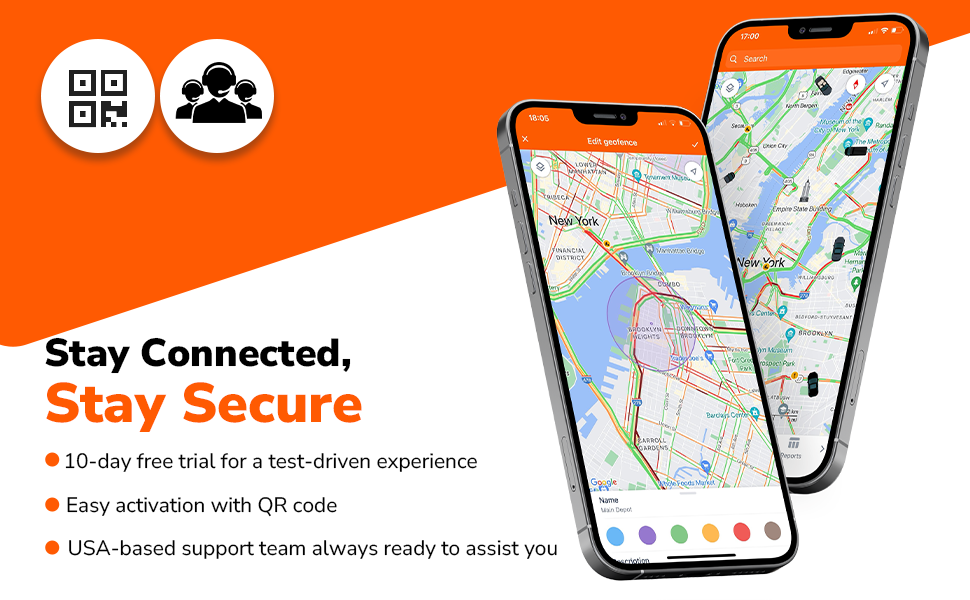
Q8: Is It Allowed to Add a QR Code in A+ Content?
No, Amazon’s A+ Content guidelines strictly prohibit the use of QR codes. Including QR codes, external links, or any promotional content that directs shoppers away from the Amazon platform violates their policies.
To stay compliant, focus on using high-quality visuals, clear and informative text, and engaging layouts that improve the shopping experience, without attempting to redirect traffic off Amazon. This approach keeps your listing professional and within Amazon’s content standards.
Q9: What Are Some Ways to Lower FBA Storage Fees?
Q10: What Should I Do If Amazon Loses My Inventory?
Q11: Can I Send More Inventory When Amazon Shows “Inventory Restock Limits Reached”?
No, if Amazon displays the message “Inventory Restock Limits Reached,” it means you’ve hit the maximum quantity allowed for storage at their fulfillment centers for a certain product category or your entire account.
Here’s how to handle this situation:
Q12: How Can I Avoid Inventory Becoming Stranded in Amazon Warehouses?
To keep your inventory from becoming stranded at Amazon fulfillment centers, solid inventory management is crucial. Stranded inventory refers to items stored by Amazon that aren’t available for purchase due to listing problems.
Here are some key steps to prevent this:
Q13: How can multiple sellers sell the same product on one listing, and what exactly is the Buy Box?
On Amazon, numerous sellers can offer the same product under a single listing because they are selling the identical item identified by the same ASIN (Amazon Standard Identification Number). Rather than creating separate listings, sellers list their product under the existing ASIN. This is typical for items like books, electronics, and widely available consumer goods, where many sellers stock the same brand and model.
How it works:
What is the Buy Box?
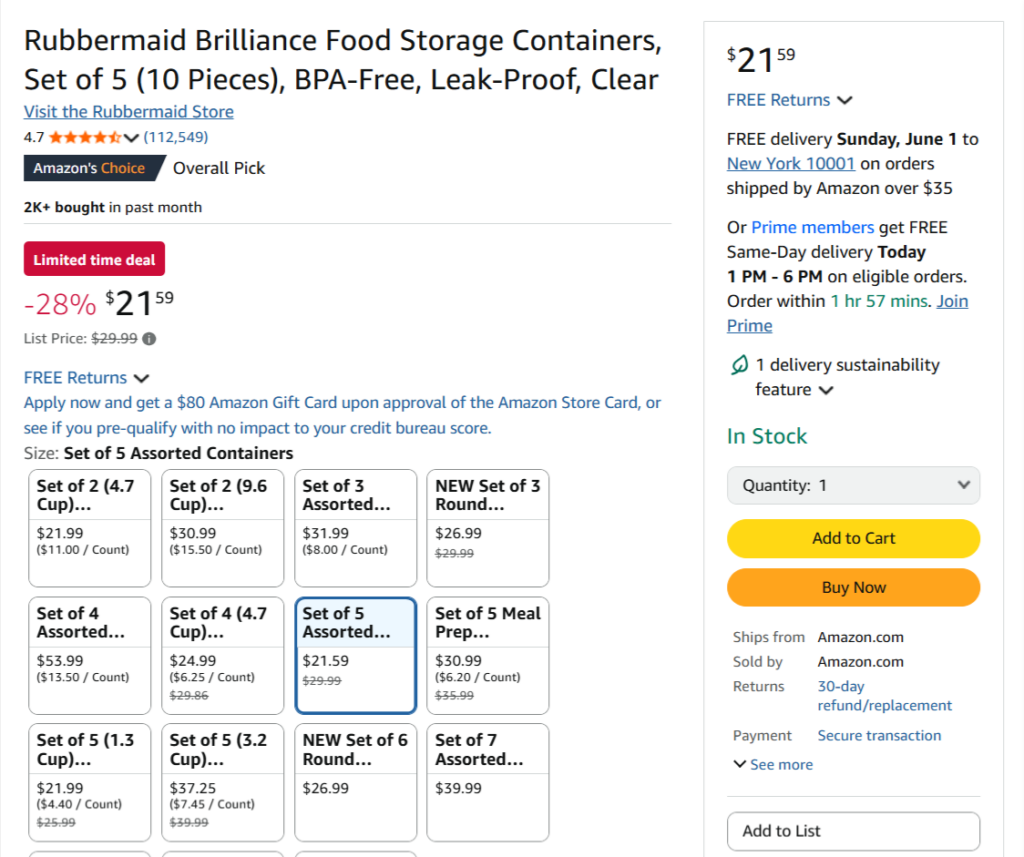
The Buy Box is the main “Add to Cart” button on a product page. When a customer clicks this button, they purchase from the seller who has “won” the Buy Box. Although multiple sellers can list the same product, only one seller at a time holds this valuable Buy Box spot.
Q14: Why am I losing the Buy Box even though I offer the lowest price?
Having the lowest price doesn’t always guarantee winning the Buy Box because Amazon takes multiple factors into account beyond just price. Here are some common reasons why you might lose the Buy Box despite having the best price:
Q15: How can I handle counterfeit sellers on my listing?
Q16: What steps can I take to protect my brand from hijackers?
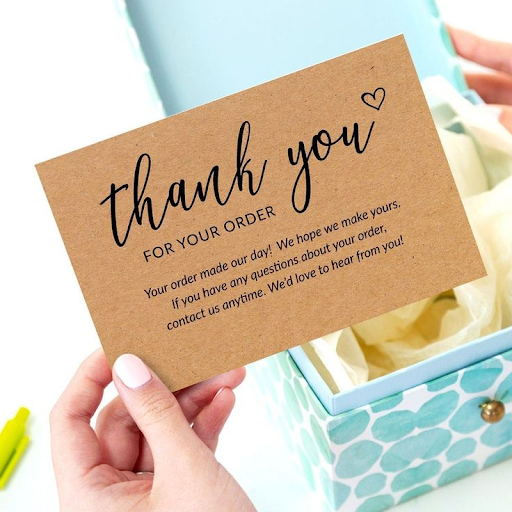
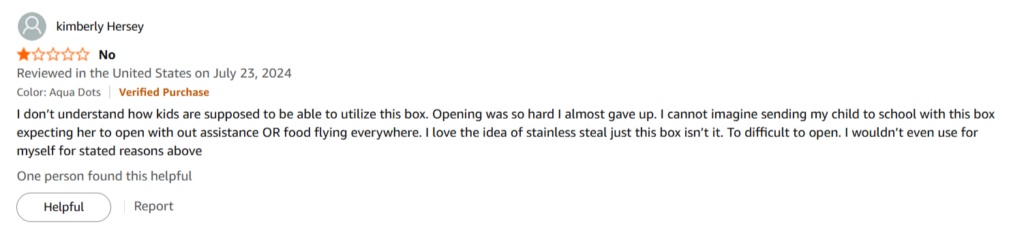
Q17: Can I request customer reviews using a product insert card?
Yes, you can ask customers for reviews through a product insert card, but it must comply with Amazon’s rules. Your request should be neutral and cannot include incentives or encourage only positive feedback. A simple phrase like “We appreciate your honest feedback!” is appropriate.
Q18: Can I have a negative review removed from Amazon?
No, negative reviews cannot be removed unless they violate Amazon’s policies, such as containing inappropriate content or spam. In those cases, you can report the review to Amazon for evaluation. Otherwise, reviews remain unless the reviewer decides to edit or delete them.
Q19: How many reviews should I aim to collect?
Strive to get at least 15 to 20 reviews to establish initial trust, but ideally, you want to reach 50 or more for greater credibility. Generally, products with a higher number of reviews tend to rank better and convert more sales. Prioritize earning genuine, consistent reviews over time.
Q20: How can I encourage customers to leave reviews on Amazon?
To gather reviews on Amazon, try these effective approaches:
Always ensure your review solicitation methods adhere to Amazon’s policies, no incentives or manipulative tactics are allowed.
Q21: Which key metrics should I monitor to prevent Amazon account suspension?
To avoid suspension of your Amazon account, it’s important to consistently track these critical performance metrics:
Consistently monitoring these metrics helps safeguard your account health and reduces the risk of suspension.
Q22: What are the consequences of having too many returns on a product?
If your product experiences a high return rate, Amazon may respond in several ways:
To avoid these outcomes, keep an eye on customer feedback, promptly resolve complaints, and make sure your product descriptions are clear and accurate.
Q23: What steps should I take if Amazon removes my listing due to a safety or restricted item claim?
If Amazon removes your listing because of a safety concern or a restricted product issue, here’s what you should do:
Q24: What should I do if my Amazon account gets suspended?
If your Amazon account is suspended, take the following steps:
Q25: What is the ideal ACOS (Advertising Cost of Sales)?
The ideal ACOS varies based on your business objectives, but typically, sellers aim for a range of 15-30%.
Q26: What is considered a good conversion rate on Amazon?
A strong conversion rate on Amazon generally falls between 10-15% or more. This means that 10-15% of visitors to your product page end up buying. Higher conversion rates suggest your listing is effective at turning browsers into buyers.
Q27: Why do some seller accounts have an LLC attached to them?
Some sellers use an LLC (Limited Liability Company) for their accounts to protect their personal assets from business liabilities. An LLC also provides tax advantages and adds a professional image to the business.
That’s the overview. Whether you’re competing for the Buy Box, building up reviews, or figuring out how many ASINs you can manage, it all comes down to making smart choices and following Amazon’s guidelines. The secret to thriving on Amazon? Stay knowledgeable, be strategic, and keep improving your approach.
If it ever feels overwhelming (because, let’s be honest, it can), don’t worry—we’re here to support you. From optimizing listings and creating A+ content to navigating Amazon’s constantly evolving policies, our Amazon Seller Central experts are ready to help you succeed.

