Have you ever wondered why, when people think of buying a phone, they automatically think of an iPhone? Or why, when they need a charger, they turn to Anker? And in the kitchen, it’s almost always KitchenAid that comes to mind for appliances? Are these brands simply better than yours?
Not necessarily. If you’ve got a good product and you’re still not seeing the sales you deserve, it’s not just about product quality. It’s about brand positioning. These companies have built strong, recognizable brands that make them the go-to choice in their categories. And Amazon, being the giant that it is, knows the importance of branding all too well. That’s why they’ve introduced so many tools over the years to help sellers transform from just another nameless vendor to a memorable brand.
One such powerful tool is Sponsored Brands. In this blog post, we’re going to learn about Sponsored Brands ads and how it can help you build your brand on Amazon, make your products stand out, and connect with your target audience in a more meaningful way. So, if you’re tired of being just another name on the shelf, keep reading to learn how to use Sponsored Brands to elevate your presence and start selling like the big players.
What are Amazon Sponsored Brands ads?
Sponsored Brands are customizable, cost-per-click (CPC) ads that feature your brand logo, a custom headline, and multiple products. The main goal of these ads is to increase brand visibility and drive customers to discover more about your products.
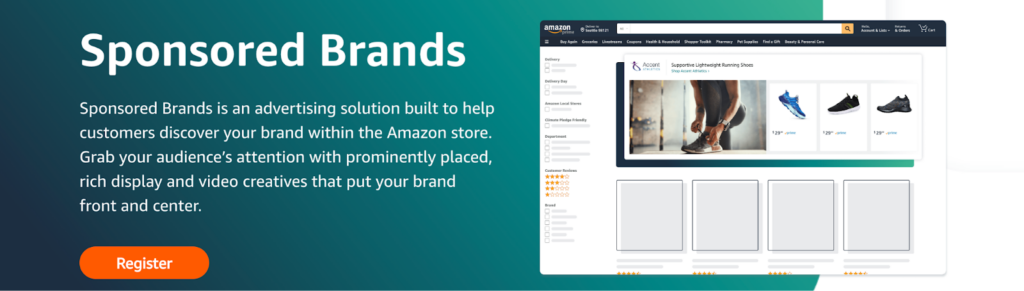
In early 2020, Amazon introduced the ability to create video ads within Sponsored Brands. These video ads appear directly in search results, offering a dynamic way to engage customers and showcase product features. They typically direct traffic straight to the product listing, making it easier for customers to learn more and make a purchase.
If you’re serious about building your brand on Amazon, Sponsored Brands are an essential tool. They help you stand out in a crowded marketplace, create a strong brand presence, and drive more targeted traffic to your products. With features like customizable ads and video options, they offer a versatile way to connect with customers and boost your sales.
Sponsored Brands features
1. Customizable ads: You can create ads that feature your brand logo, a custom headline, and up to three products. This customization allows you to highlight different aspects of your brand and products, making your ads more engaging and relevant to potential customers.
2. High-visibility placements: These ads appear in prominent locations within shopping results and on product detail pages.
3. Multiple ad formats: Sponsored Brands offer several ad formats to choose from:
4. Versatile targeting options: You can target your Sponsored Brands ads using keywords, categories, and even specific products. This flexibility allows you to reach the right audience based on their shopping behaviour and interests.
5. Flexible destinations: You can choose where you want to direct customers after they click on your ad.
6. Creative control: With Sponsored Brands, you have the ability to customise your creatives. This means you can use product images, lifestyle photos, and videos to make your ads visually appealing and informative.
Where do Sponsored Brands ads appear?
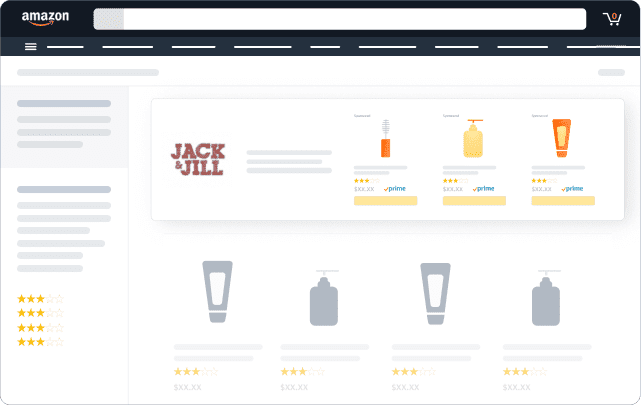
Below top of shopping results
This placement appears right below the top sponsored slots on the search results page. It’s a prime spot because it’s still visible to customers who are scrolling to find more options but may not click on the first few listings.
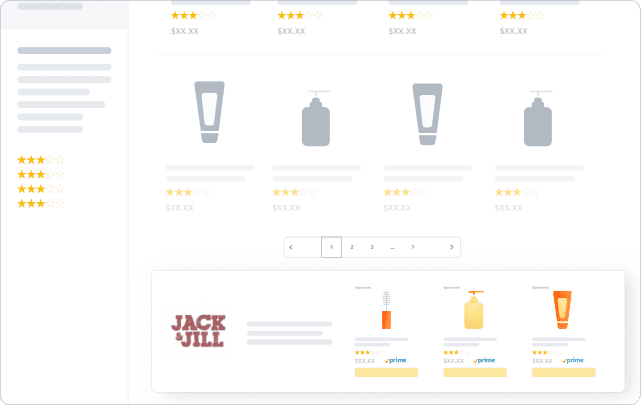
Within shopping results
This placement integrates your ad within the organic search results, making it look like a natural part of the shopping experience. It’s effective for targeting customers who are actively searching for products similar to yours. Since the ad blends seamlessly with other listings, it doesn’t feel intrusive, and customers are more likely to engage with it.
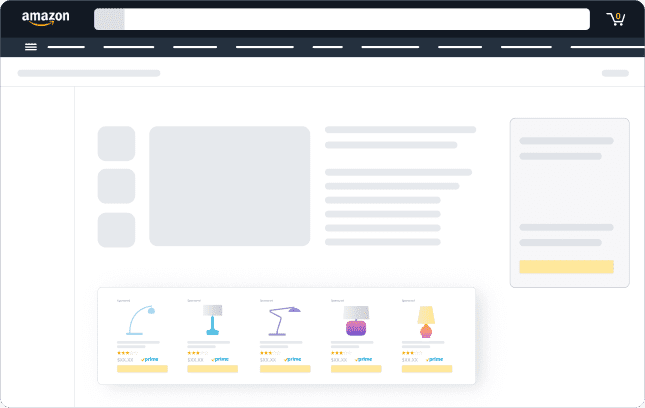
Product detail pages
Sponsored Brands ads can also appear on product detail pages of related items. This is a strategic placement because it reaches customers who are already interested in similar products and are likely to be considering different options. By showing your ad on a competitor’s product page, you can potentially capture customers who are still undecided, giving your product a chance to shine as a better alternative.
Who can use Sponsored Brands?
Sponsored Brands are a versatile advertising option on Amazon, but they’re not available to just anyone. To use these ads, you need to meet certain criteria. Sponsored Brands are accessible to professional sellers who are enrolled in Amazon Brand Registry.
However, keep in mind that some products and features might not be available in all marketplaces, so it’s always good to check the specific requirements and availability for your region.
AI for Sponsored Brands
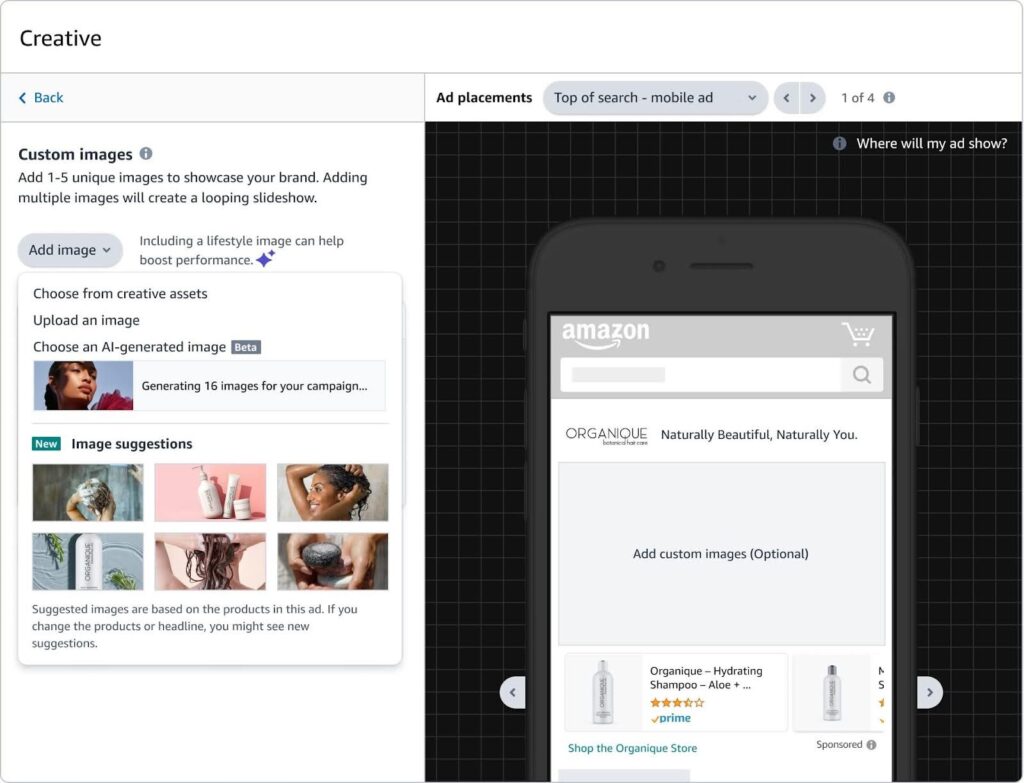
Amazon made an exciting leap forward by integrating AI into Sponsored Brands campaigns with their new image generation feature. This innovation is currently in beta in the U.S. and uses generative models along with the advertiser’s product information to create unique, brand-themed product images in seconds. This means that you can now generate visually appealing and relevant images for your Sponsored Brands ads without needing dedicated creative resources—all at no additional cost!
So, why is this important? Well, creating effective ad creatives has always been a significant challenge for many advertisers. In fact, a March 2024 Amazon survey revealed that nearly 75% of advertisers who struggled to build successful campaigns cited creating ad creatives and choosing the right format as their biggest pain points. With this new AI-powered tool, Amazon is aiming to simplify this process by providing ready-to-use, brand-specific images that can be generated and tested quickly.
Here’s how it works: When setting up a Sponsored Brands Product Collection campaign, you’ll find the image generation option integrated into the workflow. The AI tool pre-generates images using the products you’ve selected for your campaign, making it easy to see your products in various creative styles. You can even request additional images by using controls like product selection, open text prompts, or choosing from pre-set styles. This flexibility allows you to experiment with different creatives and see which ones resonate best with your audience.
What’s even better is that you can also enhance existing Amazon product infographic images by uploading them from your device or creative library. The generated images can then be saved, previewed in your campaign, and easily set to launch—all from within the same interface.
Why are Sponsored Brands so effective?
Sponsored Brands are so effective because they put your product and brand front and centre in a way that other ad types just can’t.
Sponsored Products ads are great for visibility within Amazon’s search results. They blend seamlessly with other product listings, which helps them look natural. But this can also be a drawback. Your product ends up camouflaged among dozens of other similar items. You’re still competing with 50 other listings that look almost identical, and it’s tough for customers to differentiate your brand from the rest.
Sponsored Display ads do show your product on competitor listings and across Amazon, giving you more ad space. But they don’t do much to build your brand identity. They’re more about grabbing attention on a competitor’s page rather than telling customers who you are or what your brand stands for.
But, Sponsored Brands are a game-changer. These ads don’t just put your product in the spotlight—they put your entire brand in the spotlight. You’re not just another listing among many; you’re the main attraction. Sponsored Brands ads appear at the top of search results with your brand logo, custom headline, and multiple products, which instantly grabs attention.
Unique features of Sponsored Brands
Types of Sponsored Brands
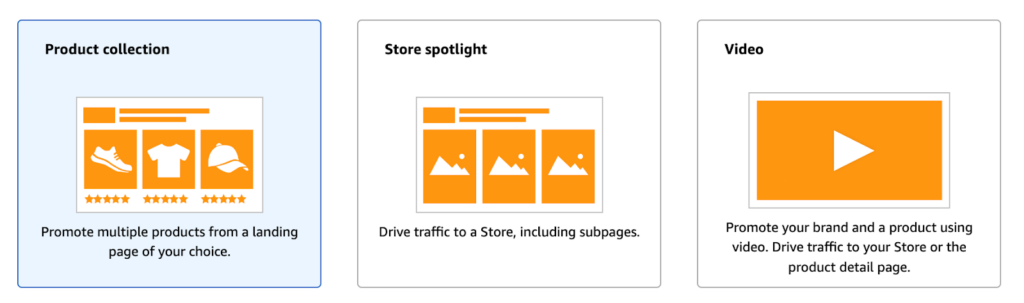
You’ve got three distinct ad formats to choose from: Product Collection, Store Spotlight, and Video. Each of these formats offers unique ways to promote your brand and products, and choosing the right one can make all the difference in your advertising strategy.
1. Product Collection
The Product Collection ad format allows you to feature three or more products in a single ad. Additionally, you can send traffic to a landing page of your choice, whether it’s your Amazon Storefront or a dedicated page showcasing only those items.
Moreover, this format works especially well for products that need extra visibility. For example, if certain listings struggle in Sponsored Products campaigns, pairing them with a popular item can significantly improve their exposure. As a result, you increase the chances of driving clicks and conversions.
Furthermore, because the landing page focuses only on your products, shoppers remain engaged with your brand. In contrast, traditional listings may expose customers to competitor distractions. Therefore, Product Collection ads create a smoother path to purchase.
Ultimately, this format is ideal for spotlighting hidden gems in your catalog. For instance, you can cross-promote related items — like pairing a best-selling blender with a smoothie recipe book and cleaning kit — to encourage bundled purchases.
2. Store Spotlight
Store Spotlight ads are designed for brands with diverse product categories. Instead of highlighting just a few items, this format directs customers to your Amazon Storefront.
Consequently, shoppers can explore your brand more deeply. At the same time, they gain a clearer understanding of your product range and identity. Meanwhile, keeping customers inside your Storefront reduces the likelihood of competitor interruptions.
Therefore, Store Spotlight ads are perfect for creating an immersive brand journey. In other words, you’re not just selling products — you’re presenting a cohesive brand experience.
3. Video Ads
Video Ads are arguably the most engaging Sponsored Brands format. Unlike static ads, video content showcases products in motion directly within search results.
As customers scroll, videos autoplay silently, immediately drawing attention. Because of this, your product stands out in a crowded marketplace. Additionally, Amazon recommends keeping videos between 15–30 seconds to maximize engagement.
Essentially, your video should function as a quick elevator pitch. From the beginning, it should highlight key benefits and capture interest. As a result, viewers quickly understand your value proposition.
Therefore, Video Ads are ideal for demonstrating features that images alone cannot convey. Ultimately, they create a memorable impression that improves click-through and conversion rates.
Quick tips for success
How to set up a Sponsored Brands ad on Amazon
Launching a Sponsored Brands ad is straightforward. Even if you’re new to Amazon advertising, the process remains accessible.
Before anything else, ensure you’re brand registered. If not, visit the Amazon Brand Registry to sign up. Once completed, you’ll unlock Sponsored Brands tools and additional marketing features.
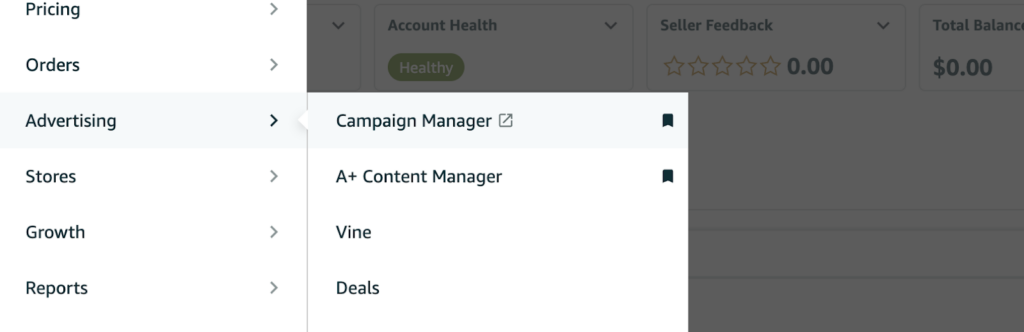
After logging in to Seller Central, go to the “Advertising” tab. Then, select “Campaign Manager” from the dropdown menu to begin campaign setup.
Step 3: Create a new campaign
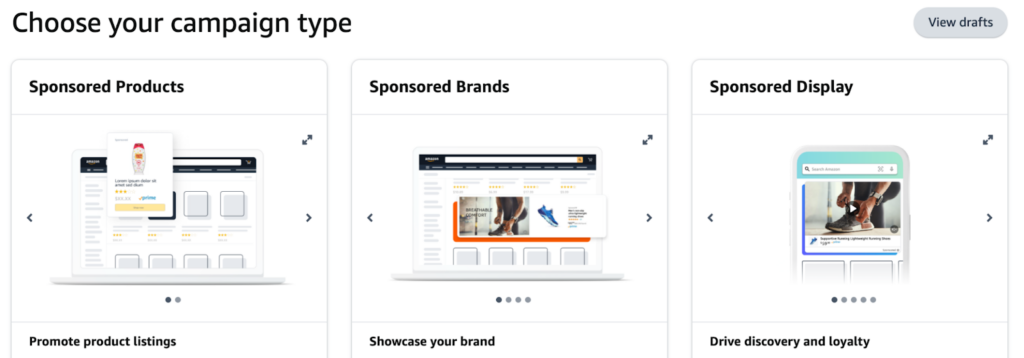
Once you’re in the Campaign Manager, click on the “Create campaign” button. This will bring you to a page where you can choose your campaign type.

Step 4: Choose Sponsored Brands as your campaign type
You’ll see different options like Sponsored Products and Sponsored Display. Click on “Sponsored Brands” to get started with your brand-focused ad.
Step 5: Set up campaign settings
Now it’s time to fill out the basic details for your campaign. First, these settings define how your ad runs and how you track performance.
Step 6: Select your ad format
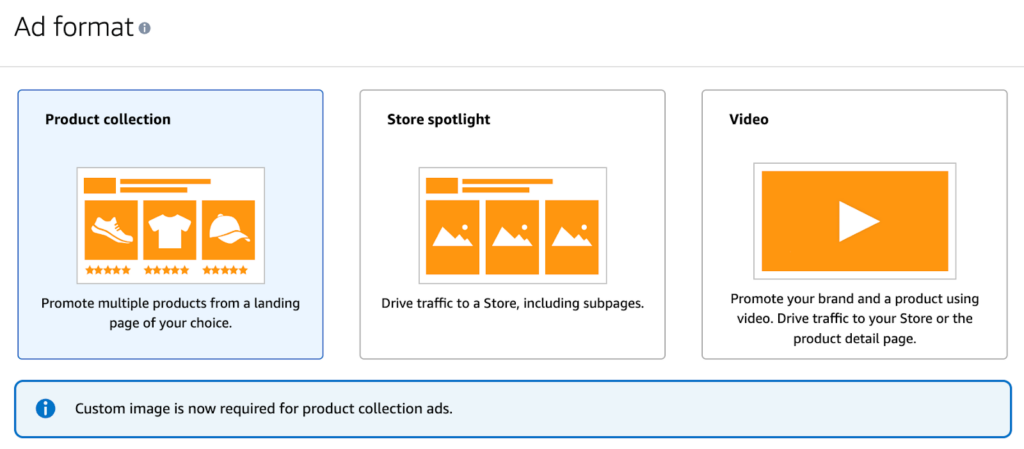
Once your settings are ready, it’s time to choose your ad format. At this stage, your selection determines how customers interact with your products.
For this example, we’ll go with Product Collection. Specifically, this format works well when you want to highlight a few key products together. Therefore, it’s ideal for creating focused product exposure.
Step 7: Choose your products
Select at least three products from your brand that you want to feature in your ad. Make sure they complement each other and appeal to your target audience. For instance, if you’re advertising kitchen appliances, pick a blender, a toaster, and a coffee maker that all belong to the same line or style.
Step 8: Create your ad content
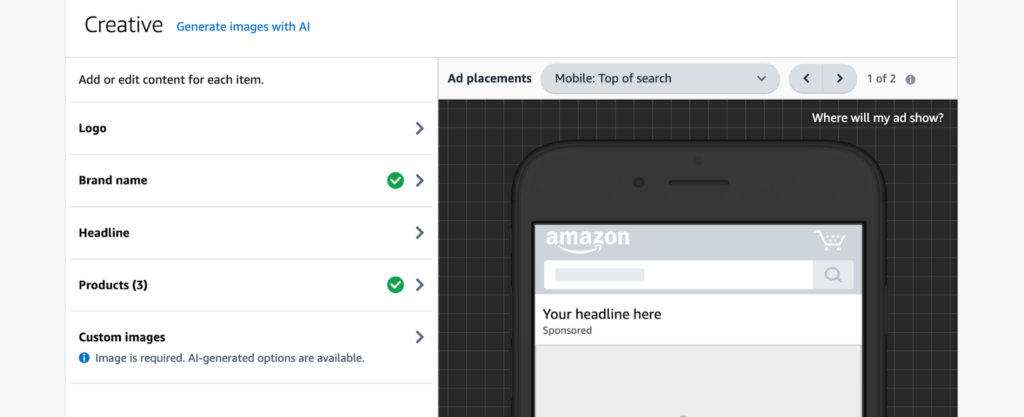
Here’s where you get to be creative:
Step 9: Set up targeting
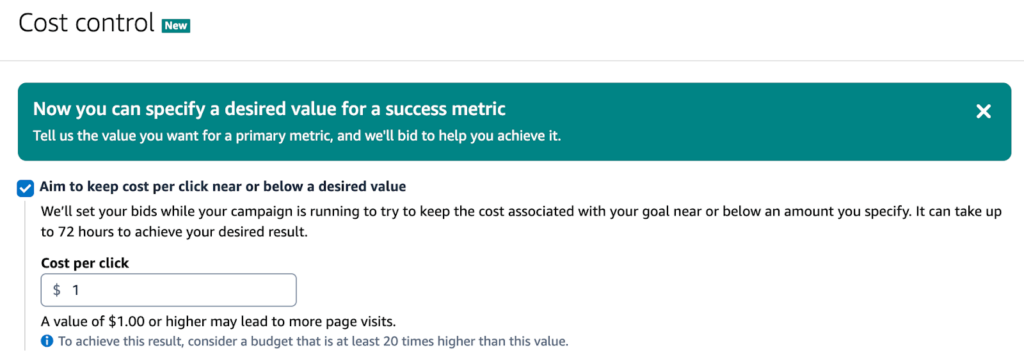
This is crucial for getting your ad in front of the right people:
 Step 10: Submit for review
Once you’re happy with your ad setup, hit the “Submit for review” button. Amazon will take up to 72 hours to review your ad and ensure it meets their guidelines.
Step 11: Monitor and optimise
After your ad is approved and running, keep an eye on its performance. Use the Campaign Manager to track clicks, conversions, and ACoS (Advertising Cost of Sales). Make adjustments to your bids, keywords, or even the ad content as needed to improve performance.
And that’s it! Your Sponsored Brands ad should be up and running shortly after Amazon approves it. Keep testing and refining your approach to get the most out of your campaign. Happy advertising!
Final thoughts
If you’re a brand-registered seller offering products like high-quality kitchen gadgets, stylish apparel, or premium skincare, Sponsored Brands is a fantastic advertising option for you. You’ve got great products and a strong brand story, so why not show them off in a way that catches the customer’s eye right at the top of their search results?
Setting up Sponsored Brands ads isn’t as complicated as it might seem, but doing it the right way is crucial for success. You want your ads to look polished and professional, with eye-catching images, compelling headlines, and the right targeting to reach your ideal customers. That’s where we come in.
Our Amazon PPC specialists are here to help you set up, optimise, and manage your Sponsored Brands campaigns, making sure you’re putting your best foot forward.