
Humans are inherently visual beings, with a large majority of us learning and understanding the world through what we see. When it comes to selling on Amazon or any other eCommerce platform, every image you use plays a crucial role. For prospective buyers, images are often the primary way to visualize and connect with your product. The images you choose will appear in search results, making them the first impression potential customers have of your product. A compelling image can set you apart from the competition and entice shoppers to click on your product listing.
With our Amazon Image Editing Services, you can trust our expert designers to transform even the most complex information into clear, visually appealing graphics that effectively convey your product’s message. Our professionally crafted product infographics for Amazon can significantly enhance your product’s appeal, increasing its potential to attract buyers. It’s important to note that while customers may skim through just 20% of the text on your listing, they will likely examine each image in detail.
Enhance your mobile and desktop conversion rates by hiring our expert designers for Amazon Infographic Images, Product Image Editing, and Lifestyle Image Editing Services. As a leading Amazon SEO Service provider, we are committed to helping you succeed. Get in touch with us today.
Overall Image Requirements:
To make sure your product images align with Amazon’s standards and highlight your product effectively, it’s essential to follow these guidelines:
Image Coverage: Your product should fill up to 85% of the image area.
Resolution: Images should have a resolution of more than 1,000 pixels but less than 10,000 pixels, with Amazon recommending an optimal size of 2,000 x 2,000 pixels.
File Format: Although Amazon supports JPG, TIFF, and GIF formats, JPG is recommended for the best quality.
Content Restrictions: Images must not include nudity, racist content, or any material that could be considered offensive. Logos, trademarks, or any misleading elements are prohibited. Avoid including text or logos with phrases like “Amazon,” “Prime,” “Alexa,” or “Best Seller.”
Clothing and Accessories: Lingerie and swimsuits should be depicted modestly, avoiding overly sexual or suggestive imagery. Products should be shown without packaging or tags, and the frame edges should not crop images.
Badges: Do not add Amazon badges or any similar graphics like “Amazon’s Choice” or “Best Seller.”
Main Image Requirements:
The main image is pivotal for grabbing customer attention and must meet the following criteria:
Background: Use a plain white background (RGB values of 255, 255, 255).
Product Focus: Ensure the product occupies up to 85% of the image.
Single Product View: The image should display a single view of the product, without multiple angles or perspectives.
No Extra Graphics: Avoid adding text, logos, borders, color blocks, watermarks, or any other graphics.
Professional Photography: The image should be a professionally taken photograph of the actual product, free from accessories or props that could mislead customers.
Frame Edges: The product should not touch or be cut off by the edges of the image frame, except for certain items like necklaces.
Clothing Accessories: Mannequins should not be visible in images featuring clothing accessories.
Kids & Baby Clothing: These items should be photographed flat, without a model.
Shoes: The main image should display a single shoe angled to the left at 45 degrees.
Packaging: Show products outside of their packaging. Boxes, bags, or cases should only be included if they are a key feature of the product.
Must Have Amazon Product Images For Any Product Listing
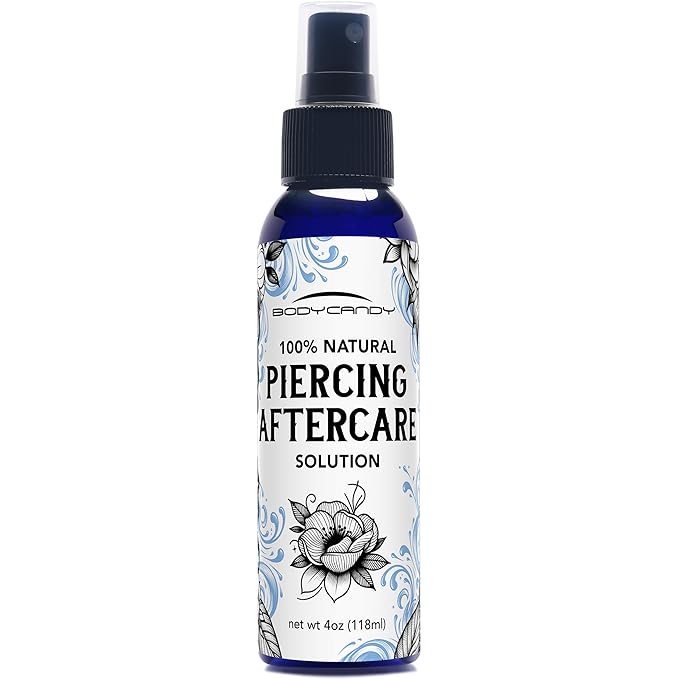
Image 1: The Main Image
The main image is the preview that customers see while scrolling through search results and when they first open your listing. Though it may be the least exciting image, it is the most regulated on Amazon. This image should feature your product and nothing else—no background, props, or anything that is not part of the product itself.
Example:
Images 2 and 3: Product Details
These images should provide close-up views of your product, highlighting its quality, components, texture, and different angles. The goal is to offer a comprehensive view that showcases all aspects of your product, giving potential buyers a clear understanding of what they are purchasing.
Example:

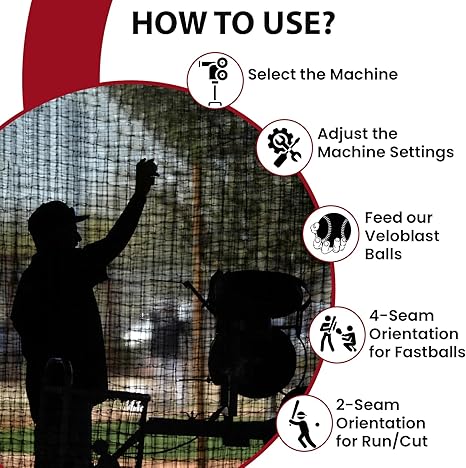
Images 4 and 5: Infographic Images
Infographic images combine visuals and text to give customers a more detailed understanding of your product’s features and benefits. These images are ideal for displaying size charts, product features, usage instructions, or comparing your product with others. Infographics are more likely to capture attention than long bullet points and descriptions, encouraging customers to read more about your product.
Example:

Images 6 and 7: Lifestyle Images
Lifestyle images depict your product in use, helping customers envision themselves using it. By showing the product in a relatable setting, these images make it easier for customers to imagine how the product will fit into their own lives.
Example:

Best Practices For Amazon Product Images
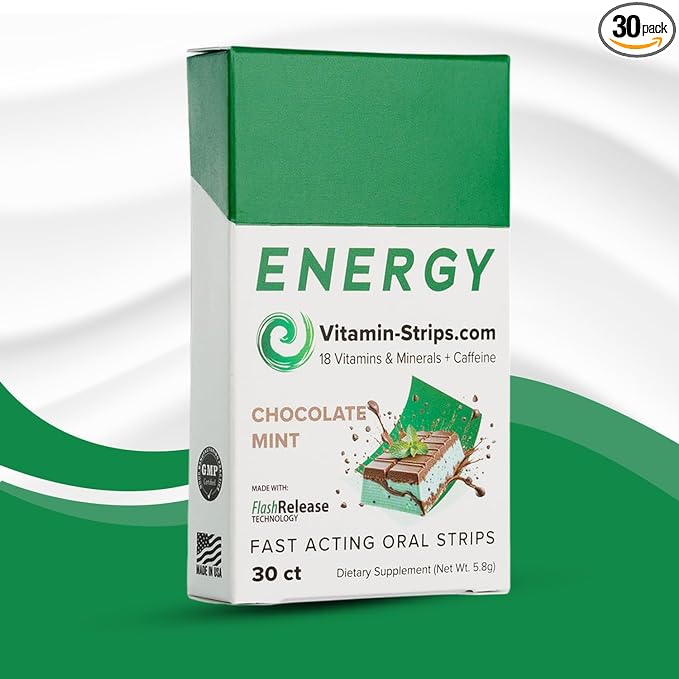
Focus on Your Main Image
The main image is crucial for capturing customer attention and differentiating your product from others. As previously mentioned, this image must adhere to strict requirements. Since it’s the first thing customers see when browsing search results on Amazon, make sure it stands out!
Maximize Product Visibility: Ensure your product occupies up to 85% of the image space.
Stand Out: Use a bright, clear, and bold image that entices customers to click on your listing.
Analyze Competitors: Review your competitors’ main images and identify ways to improve upon their weaknesses, making your product more appealing.
Professional Photography: Consider hiring a professional photographer to capture the main image and additional angles of your product.
Example:
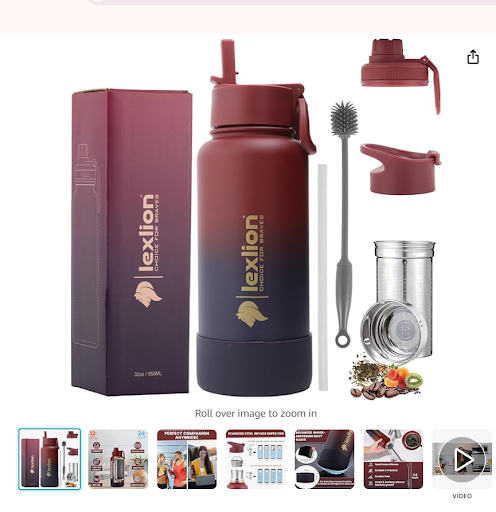
Use All the Space Available
Make full use of the space Amazon provides for product images; moreover, this allows you to present a visually rich gallery that captures attention instantly. Additionally, filling the available space with diverse photos increases customer engagement and improves perceived product value.
Showcase your product from multiple angles; therefore, customers gain a complete and transparent view before purchasing. Furthermore, detailed angle shots build trust because buyers feel more confident about what they are getting. Meanwhile, consistent presentation across images reinforces professionalism and brand reliability.
Use models in your images; consequently, customers can easily imagine themselves using or wearing the product. In addition, lifestyle visuals create emotional connection and relatability. As a result, shoppers feel more comfortable and motivated to move toward purchase. Ultimately, combining product clarity with human context strengthens decision-making and boosts conversions.
Demonstrate Product Usage: Feature your product in appropriate settings to show it in action. For example, if you’re selling a fitness infuser, include an image of it being used during a workout.
Add Visual Interest with Varied Backgrounds: Mix up the backgrounds in your images to keep them engaging. Whether indoors or outdoors, different backgrounds can highlight various features and uses of your product.
Example:
Create Unique Lifestyle Images
Show potential customers how your product is used in real life and why it’s relevant to them. If you have a specific target audience in mind, include that type of person in your images to create a stronger connection.
Capture Lifestyle Images Easily: You don’t need a professional camera to take effective lifestyle shots. Use yourself, friends, or family to create authentic and relatable images.
Show Practical Usage: Highlight how and where your product is best used, such as an infuser being held by a fitness enthusiast during a workout.
Example:

Add Text to Your Images
Including text in your images can effectively highlight key product information.
Highlight Important Features and Benefits: Use consistent fonts and colors to point out the most important aspects of your product directly on the images.
Include Essential Specifications: Provide details such as size, dimensions, and other important specifications to help customers make informed decisions.
Material Information: Display the materials used in your product, assuring customers of its quality and durability.
Ingredient Display for Food Products: If selling food products or supplements, clearly show the ingredients to build trust.
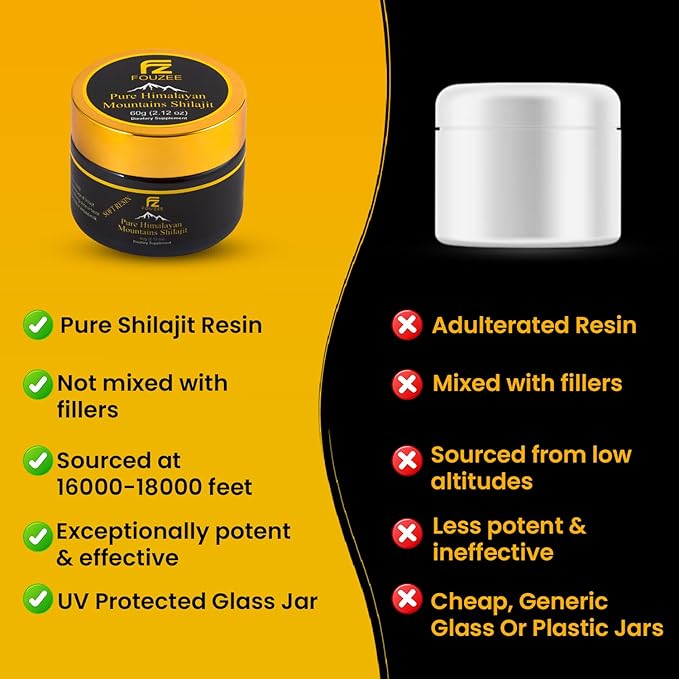
Create Comparison Charts: Use comparison charts in your images to visually compare your product with others, emphasizing what makes yours better.
Example:
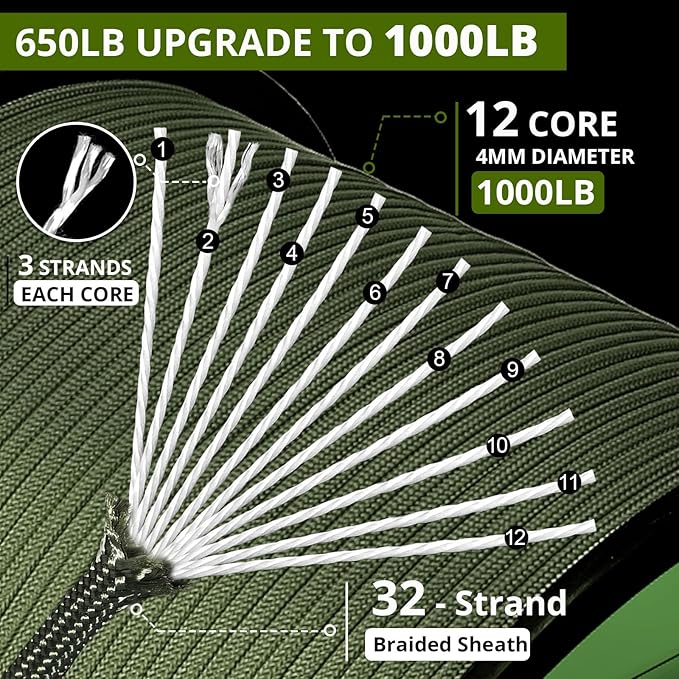
Zoom In on the Product
Since customers can’t physically touch or inspect your product, it’s crucial to show them every detail through zoomed-in images.
Highlight Key Features: Use close-up images to emphasize the features that set your product apart, such as durable hardware, weight limits, or warranty details.
Enhance Customer Confidence: Detailed images help customers feel more confident in their purchase decisions by allowing them to see the craftsmanship and materials up close.
Example:
Use 3D Rendered Images
For certain products, 3D-rendered images can offer a unique view that helps customers better understand your product’s complexities. For example, showing a 3D view of a lunch box can demonstrate how it keeps food hot or cold.
Example:

Include Before & After Images
Before-and-after images are a powerful way to show the impact of your product.
Highlight the Transformation: A side-by-side comparison can clearly illustrate the improvements your product offers, whether it’s cleaner surfaces, better posture, or enhanced appearance.
Visual Proof of Benefits: Showing the benefits of your product in action is much more persuasive than simply describing them.
Example:

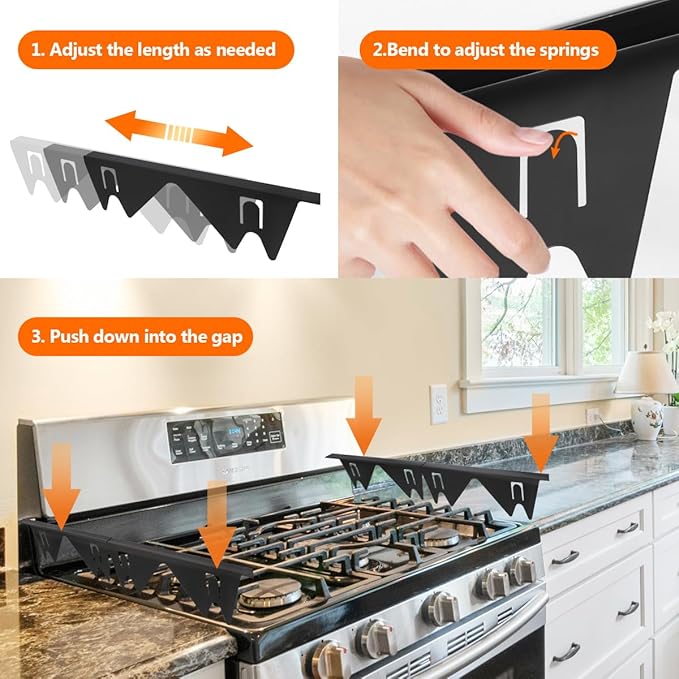
Inform Through Instructional Photos
If your product requires assembly or installation, use images to demonstrate the process.
Increase Customer Confidence: Step-by-step instructional photos can reassure customers that they can successfully assemble or use your product.
Reduce Returns: Clear instructional images can decrease the likelihood of returns by helping customers avoid confusion or frustration during assembly.
Example:
Hire a Professional
Consider hiring a professional photographer or graphic designer to ensure your product images are competitive. Poor photography can lead to lost sales, so investing in high-quality images can pay off in the long run. Our Amazon Product Infographic or Lifestyle Image service is available for $15 per image.
Remember, product images are most important as they will be the first impression of your product. Hence, we SIPRANSH ECOMMGROWTH the Amazon seller experts specializing in helping sellers. We believe the better your images are, the better you convert a browsing customer into a buyer. So we help your Amazon product images to stand out, as it is one of the most important parts of your Amazon listing.