We understand the importance of creating a strong brand presence on Amazon. One of the most effective ways to achieve this is by setting up an Amazon Store, a customizable storefront that acts as a dedicated hub for showcasing your products and engaging with customers. Our expertise lies in helping Amazon sellers like you optimize Amazon listings and improve brand visibility, and an Amazon Store is a key tool in achieving these goals.
By designing a store tailored to your brand’s unique identity, you not only enhance the shopping experience but also build long-lasting trust with your audience, driving sales and boosting growth. Let’s have a look at some of the most common Amazon Storefront FAQs.
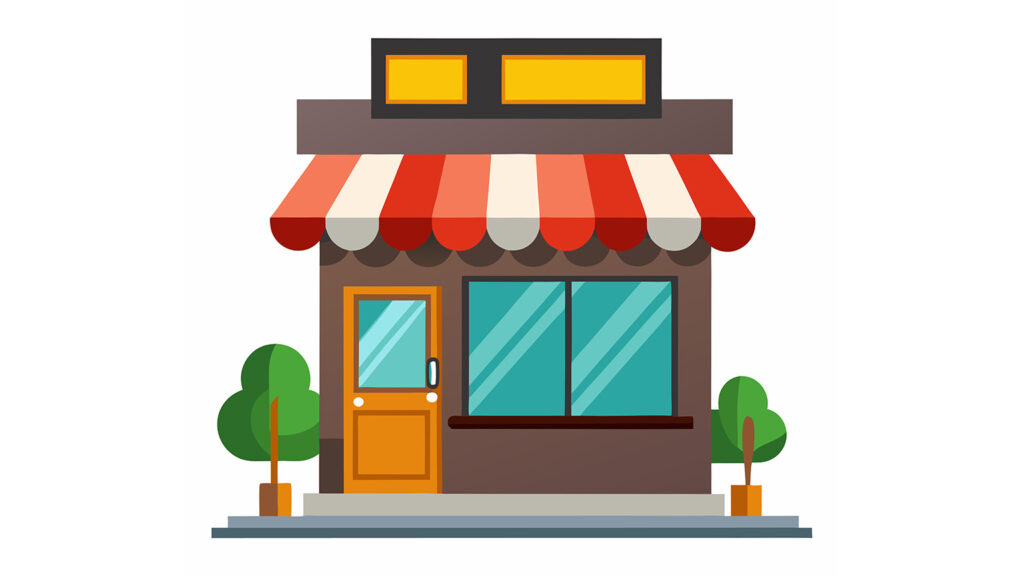
An Amazon Store, also referred to as a brand storefront, acts as a personalized mini-website for your brand, allowing shoppers to explore your products and learn more about your business. Similar to a traditional website, an Amazon Store can feature multiple pages dedicated to showcasing various product categories. Find some of the top examples of Amazon Storefront.
Amazon Stores are available to sellers and vendors who are part of Amazon’s Brand Registry program. This self-service feature is free for qualified sellers. Learn more about Amazon Brand Registry.
Read More: How to Make an Amazon Storefront

Creating an Amazon Store is completely free. However, if you prefer a professionally designed store, you may want to hire an experienced Amazon creative agency to maximize the impact of your store.
Setting up an Amazon Store is a valuable investment for your brand, offering long-term benefits. Firstly, it gives you a dedicated brand space, allowing shoppers to explore your entire product line in one place. Additionally, by creating an Amazon Storefront, you can build trust and leverage Amazon’s reputable platform to boost customer confidence.
Moreover, your store helps increase brand awareness, giving you the opportunity to tell your brand’s story and foster customer loyalty. Next, a well-designed store provides an enhanced shopping experience, making it more personalized and engaging for your customers. Furthermore, it opens doors for upsell and cross-sell opportunities, enabling shoppers to discover complementary or premium products. Finally, Amazon Stores come with a custom URL, which is ideal for off-Amazon marketing campaigns and social sharing.

First, navigate to Stores > Manage Stores within the advertising console. From there, you will see the brands that qualify for store creation.
Next, click Create Store and upload your brand’s logo along with a meta description. Then, you’ll be offered four design themes to choose from; starting with a blank template is ideal if you want full customization.
After that, set up your homepage and additional pages by adding customizable sections called tiles. Make sure that the layout is user-friendly and easy to navigate.
Then, populate the tiles with images, text, and products to bring your store to life. Additionally, ensure that the content aligns with your brand’s style and message.
Next, attach product links to relevant tiles. You can also use the Store Preview option to see how your store looks before submission.
Finally, submit your store for Amazon’s review, which usually takes around 24 hours. As a result, your store will be live once approved.
Read More: How to Log into Amazon Storefront?
Tiles are customizable sections used to build each page of your store. The different types of tiles include:
Once your store is submitted, Amazon will review it to ensure it meets its standards. Typically, this process takes 2-7 days, depending on workload. Meanwhile, you can prepare marketing materials or plan promotional campaigns to launch alongside your store.

Amazon offers Store Insights, a powerful tool that provides metrics such as daily visitors, page views, sales from visitors within 14 days, and traffic sources. By understanding where your traffic comes from, you can refine your marketing strategies and improve store performance. Additionally, monitoring these metrics regularly helps identify top-performing products and areas that need optimization.
Yes! All store tiles are optimized for mobile devices, ensuring a seamless shopping experience across different screen sizes. Moreover, this mobile optimization allows customers to browse, interact, and make purchases easily, whether they are using a smartphone or tablet. As a result, your store can reach a wider audience and enhance overall user engagement.
Amazon Stores in select regions support multilingual options. Once your store is approved, it can be translated within five business days. However, embedded text in images and videos will not be automatically translated.
Yes! You can easily customize and schedule your Amazon Store for special events such as Prime Day, Black Friday, or holiday seasons. First, set specific start and end dates for your store’s appearance. Then, update your tiles, banners, and promotions to match the event theme. Additionally, scheduling updates in advance ensures your store is ready for high-traffic periods. As a result, you can maximize visibility, engage more shoppers, and boost sales during key events.

An Amazon Store is more than just a place to list your products—it’s a powerful platform for building your brand and fostering customer loyalty. At SIPRANSH ECOMMGROWTH, we guide sellers through the process of creating an Amazon Storefront that enhances visibility and attracts the right audience. By leveraging our expertise, you can ensure that your storefront is not only visually engaging but also strategically designed to drive conversions and long-term success on Amazon. Investing in an Amazon Store is an investment in your brand’s future, and we’re here to help you make the most of it.